
Explorer Dialog File Tab
Contains controls used to browse and manage file content.
You can set the visibility for File tab from Explorer Settings dialog.
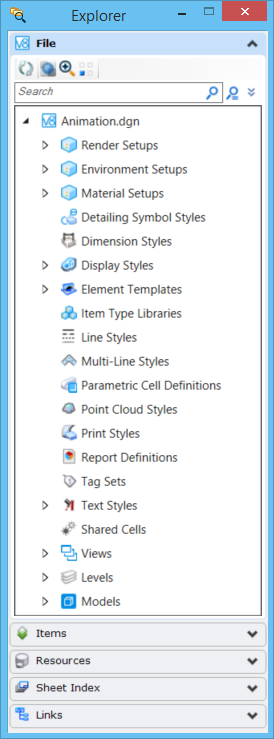
| Setting | Description |
|---|---|
| File Content | Following file content is displayed:
|
| Reset Pop-up menu | Depending upon the content selected, the reset pop-up menu options change. Refer Managing File Content from Explorer for further details. |
| Refresh Active Tree | Refreshes the active tree to reflect changes to the DGN file. |
| Transparent | Turns on the transparency for selected graphical items. |
| Zoom | Zooms the selected graphical items. |
| Isolate | Isolates the selected graphical items. |
| Search | Enter the search condition or click the icon to conduct search. |
| Expand the Query Builder | Expands or collapses the Add Criteria button for Criteria search. |
| Add Criteria | Used to add search conditions for Criteria search. |
| Advanced Search | Displays Advanced Search dialog. |
| Clear Search | Clears any text entered in the search field. |