
Explorer Dialog
 Used to
manage and
control project content within
ProStructures.
Used to
manage and
control project content within
ProStructures.
You can access this dialog from the following:
The Explorer dialog consists of File, Items, Resources, Sheet Index, and Links tabs. The function of each tab is mentioned below.
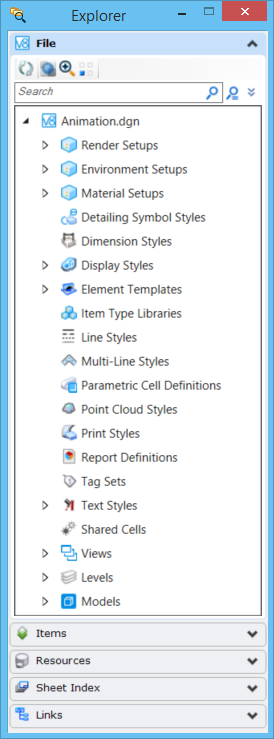
| Setting | Description |
|---|---|
| File Tab | The File tab displays the content of the file such as models, saved views, references, and so on. |
| Items Tab | The Items tab is used to browse data about non-graphical business items that exist in DGN file. |
| Resources Tab | The Resources tab is used to display shared resources being used by DGN in hierarchical order. |
| Sheet Index Tab | The Sheet Index tab is used to manage sheet indexing. |
| Links Tab | The Links tab is used to view the linked data. |