
Dispatch Cells
 Used to distribute multiple
cells
evenly across a shape length. For example, this can be used to evenly
distribute bolts along the length of a steel shape.
Used to distribute multiple
cells
evenly across a shape length. For example, this can be used to evenly
distribute bolts along the length of a steel shape.

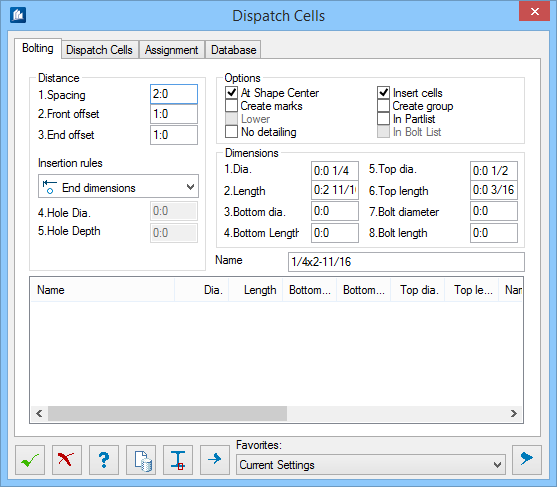
This feature will also add insertion points as markings to the shape (e.g., for NC-output). You can also add only markings without inserting a cell.
In addition, the function allows for the parametric generation of thread bolts or similar solids of revolution at simultaneous distribution analogously to the distribution of cells described above.
Dialog Controls
| Setting | Description |
|---|---|
 OK OK
|
Closes the dialog and save your changes. |
 Cancel Cancel
|
Closes the dialog without saving changes. |
 Help Help
|
Opens online help. |
 Template Template
|
Saves and retrieve (Using Templates) settings to be used on other projects. |
 Distribute Cells at calculated
points Distribute Cells at calculated
points
|
Distributes the bolts on the selected shapes according to the preset rules. |
 Distribute Cells at
given points Distribute Cells at
given points
|
Permits individual placing of bolts on the selected shapes. Here, each insertion point is indicated individually. |
| Favorites | |
  Show /Hide
Preview Show /Hide
Preview
|
Opens or closes, respectively, a flyout panel to display an illustration based on the tool. |