
Modify Color Dialog
Used to modify a color.
You can access this dialog from the following:
- Color Table dialog: double-click a color in the Color table
- Color Table dialog: select a color and click the Change button
- Image Settings dialog: click the Select Background Color or Image File icon
- Color Book Editor dialog: click the New icon
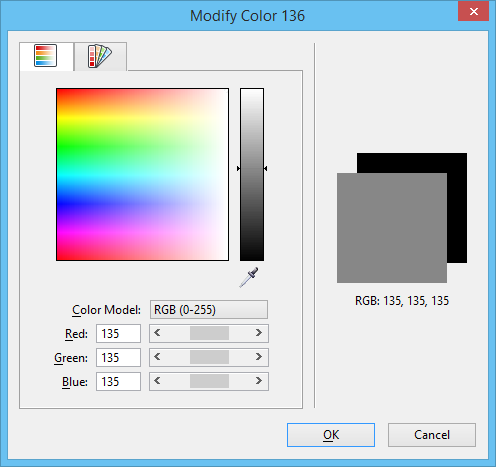
| Setting | Description |
|---|---|
| True Color tab | Contains controls that lets you select a color using True Color values. |
| Color Book tab | Contains controls that let you select a color from a color book. |
| preview box | The front preview displays the selected color. The back preview shows the current background color. |