Used to add and save styles to a
table in the model.
Used to add and save styles to a
table in the model.
You can access this tool from the following:
- Ribbon:
- Explorer dialog Sheet Index
tab:
Place Sheet Index as a table
- Reports dialog:
Place as table
| Setting | Description |
|---|
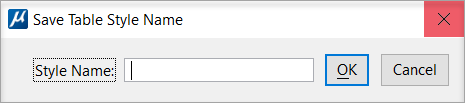
| Style Name
|
Displays the style name in the drop-down menu.
|
| OK
|
Click on OK to save the selected style name
|
| Cancel
|
Cancels the Style Name selection.
|
The newly created Table Style is displayed in the
Place Table
dialog and the
Properties Pane dialog.
Key-in:
TABLE
TABLESTYLE DELETE
Key-in:
TABLE
TABLESTYLE DELETEALL
Key-in:
TABLE
TABLESTYLE DUMPALL
Key-in:
TABLE
TABLESTYLE LISTALL
Key-in:
TABLE
TABLESTYLE SAVE