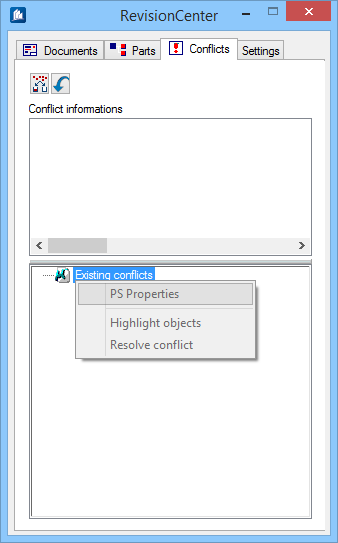
Used to view a
summary of potential problems with your details.
An example of a conflict would be if an object was
inserted on a 2D drawing, then later changed on the model. In this scenario,
the 2D details would need to be updated in order to be consistent with the
newest changes on the model.
| Setting | Description |
|---|
 Display Settings Display Settings
|
Changes display settings and applies sorting options
through
Settings for Display dialog.
|
 Reload Reload
|
Reloads all documents from the drawing and updates
revision information from the model.
|
| Conflict Information
|
Displays the details of the currently highlighted conflict entry.
|
| Existing conflicts
|
Displays a list of individual conflicts.
|
| Right-click options
|
Right click on an object for additional options:
- PS Properties
- Highlight objects
- Resolve conflict
|