
Attach Item Dialog
 Used to attach Item types
and their custom properties to the item.
Used to attach Item types
and their custom properties to the item.
You can access this dialog from the following:
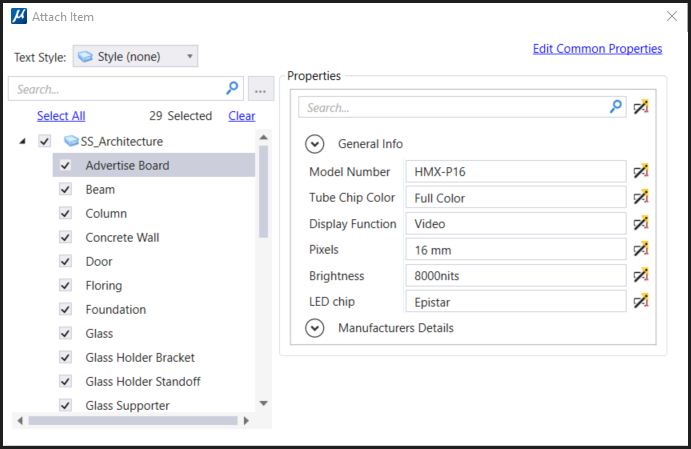
| Setting | Description |
|---|---|
| Text Style | Allows you to select a Text Style from the drop-down menu. |
| Search | Allows you to search the Item type. |
| Browse | Displays the Item Type Dialog |
| Select All | Selects all the item types in the list. |
| Clear | Clears the selected Item type and its properties. |
| Properties | |
| Edit Common Properties | Displays the common properties of two or more selected item types. |