View Attributes Dialog, View Setup Section
| Setting | Description |
|---|---|
| Saved Views | Displays saved views from the active file. Selecting a saved view from the drop-down list applies it in the destination view window. |
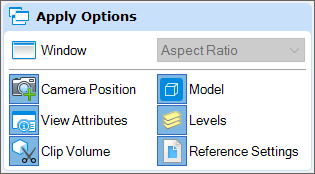
| Apply Options | Similar to the controls in the Saved Views dialog, Apply Options allows you to use the selected attributes in the saved view. |
| Open Saved Views dialog | Opens the Saved Views dialog , which is used to manipulate saved views. |
| Models | Displays the name of the model to which the settings are applied. |