
Show Properties Dialog
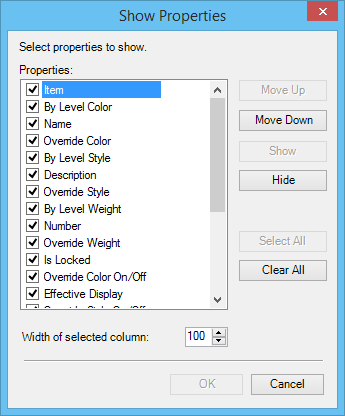
Used to specify the columns that appear in the Details dialog . You can also change the order of columns, hide or show columns, and specify the column width.
| Setting | Description |
|---|---|
| Properties | List all available columns. The selected columns appear in the Details dialog. |
| Move Up | Moves the selected column up one place in the Properties list and moves it one column to the left in the Details dialog. |
| Move Down | Moves the selected column down one place in the Properties list and moves it one column to the right in the Details dialog. |
| Show | Selects an unselected column and displays it in the Details dialog. |
| Hide | Clears a selected column and removes it from the Details dialog. |
| Select All | Selects all columns and shows them in the Details dialog. |
| Clear All | Clears all columns, however, at least one column has to be selected to be shown in the table. |
| Width of selected column | Used to set the selected column's width. |