
Solid by Extrusion
 Used to create a solid generated by linearly extruding a profile element (text, shape, or complex shape, B-spline surface, face of a surface or solid element) a defined distance. Extrusion adds a third dimension to a plane surface. Faces formed between the original profile element and its extrusion are indicated by straight lines connecting the keypoints.
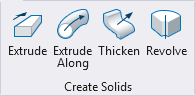
You can access this tool from the following:

| Setting | Description |
|---|---|
| Use Active Attributes | If on, the extrusion is created with the element using the active attributes. If off, the extrusion is created with the element taking the attributes of the profile element. |
| Keep Original | If on, the original profile element is kept in the model. |
| Parametric | If on, a parametric solid is created with the profile as an input element. The profile can be handled like other feature inputs, allowing you to show /hide, apply constraints, replace etc. |
| Distance | If on, sets the distance, in working units, the element is extruded. |
| Thickness | Sets the wall thickness when a hollow solid, or a surface with thickness is required.
|
| Show/Hide Extended Settings | Displays or hides extended settings. |
| Orthogonal | (Extended Setting) If on, the profile element is extruded orthogonally. |
| Both Directions | (Extended Setting) If on, the profile element is extruded in both directions. |
| X Scale | (Extended Setting) If on, sets the scale factor in the x-direction. |
| Y Scale | (Extended Setting) If on, sets the scale factor in the y-direction. |
| Scale lock icon | (Extended Setting) If on (locked), forces both X Scale and Y Scale to be the same value. Changing one will cause the same change to be applied to the other. If off (unlocked), X Scale and Y Scale can be different values. |
| Spin Angle | (Extended Setting) If on, sets the spin angle — the angle through which the profile is rotated as it is extruded. |
| Variable Link | Let's you use an existing variable to set the input value, defined in the Variables dialog. |
