
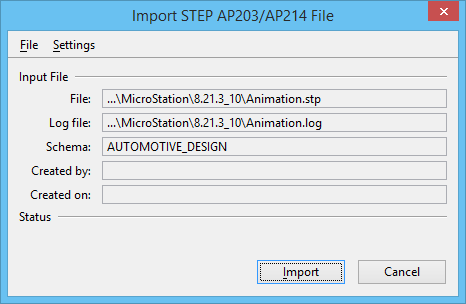
Import STEP AP203/AP214 File Dialog
Used to change a log filename or directory, and also to change import settings.
| Setting | Description |
|---|---|
| File menu > Log File | Opens the Log File dialog, which is used to change a log filename or directory. When you import a .stp file, MicroStation creates a log file and assigns it a .log extension. The log file has the same name and directory as your data (.stp) file. |
| Settings menu > Import Settings | Opens the AP203/AP214 Import Settings dialog, which is used to change import settings. |
| Input File | The Input File group box displays the following criteria:
|
| Status | The Status group box displays any translator messages that occur during the translation process. |