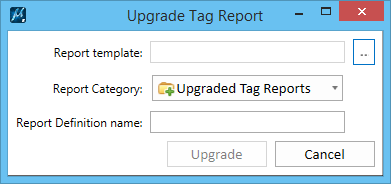
Used to upgrade the tag report templates to report definitions.
You can access this dialog from the following:
| Setting | Description |
|---|
| Report template |
Select the tag report template. Clicking Browse  opens the Open Report Template dialog from which you can choose a report template and click Open to select it. opens the Open Report Template dialog from which you can choose a report template and click Open to select it. |
| Report category |
Select the category in which you want the upgraded tag report to be added. |
| Report definition name |
Enter a name for the report definition. |
| Upgrade |
Upgrades the selected tag sets to item types. |