Generalize Vector tool settings
| Setting | Description |
|---|---|
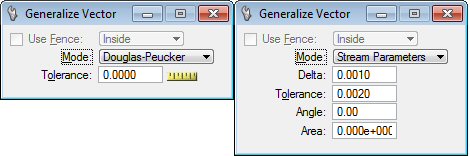
| Use Fence |
If a fence is drawn, choose from: Inside, Overlap, Void or Void-Overlap. If no fence is drawn, the setting is not available. |
| Mode |
Use to select the type of generalization that will be performed.
|
| Delta |
Use to enter the delta factor. Sets the minimum distance, in working units, between points of the polyline. |
| Tolerance |
Use to enter the tolerance factor. Sets the maximum distance, in working units, between points. |
| Angle |
Use to enter the angle factor. Sets the angle in degrees. |
| Area |
Sets the area that, when exceeded, causes a sampled point to be kept. The pertinent area is the triangle formed by extending a line between each of the last two recorded data points and the sampled point. Units are square master units, and the value must be specified as a floating point number (for example, 110.0 or 1.1E2). |