-
Draw a template using standard MicroStation drawing tools to use
for modeling. It is best to do this in a section view.
-
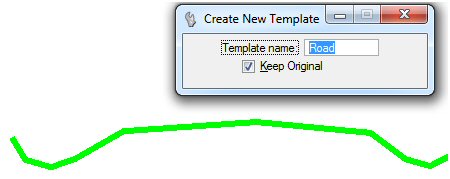
Create a template using the Create Template tool. Provide a name
and toggle on
Keep Original to keep the original geometry.
-
Add any constraints using the Create Constraint tool. A constraint
will associate one or more vertices with a master vertex. When you move the
master vertex, the other vertices will follow. Each individual vertex can be
moved on its own. Constraints are useful when modeling a feature that is
constant on one side and variable on another, such as road crown and cross fall
(constant) and a ditch (variable). Use the CTRL key to select multiple
vertices.
-
Accept the constraints with a data point.
The template is now
ready to use in Model by Section.